
.avif)

ERP vs CRM: Understanding the Key Differences
Picture two department heads in the same building, both convinced their software holds the real picture of the company. The sales director swears by the CRM. The operations manager trusts only the ERP. Neither one is wrong, and that confusion is exactly why so many founders search for ERP vs CRM before they sign a contract with either vendor.
The short answer is that ERP and CRM solve different problems. One looks inward at how your business runs. The other looks outward at how your business sells and serves. Most growing companies eventually need both, but understanding the distinction first saves you from buying the wrong tool, training your team on the wrong system, or paying for features you will never touch.
This guide breaks down what each platform actually does, where the lines blur, and how to decide what your business needs right now.
What is ERP?
ERP stands for Enterprise Resource Planning. It centralizes the operational backbone of a company: finance, inventory, manufacturing, procurement, and human resources all live inside one connected database instead of scattered across spreadsheets and disconnected tools.
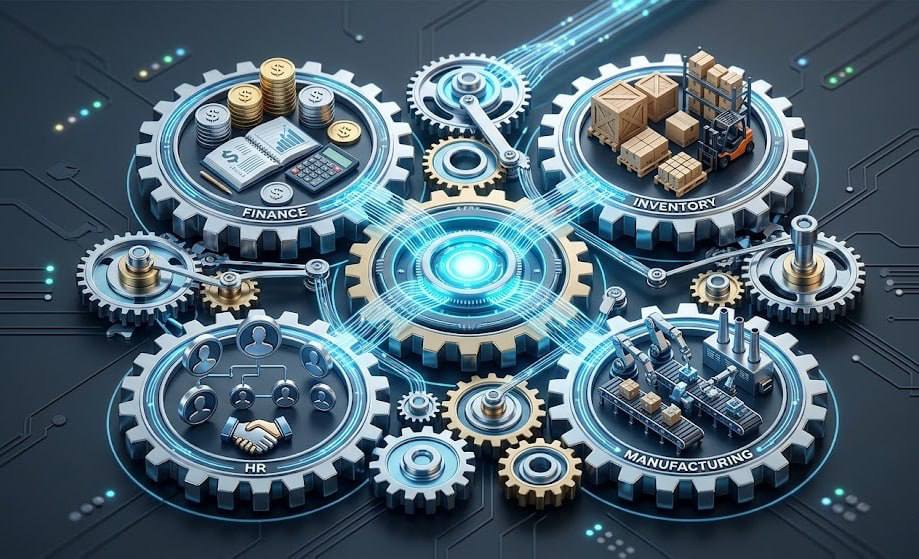
Think about a distribution company that ships physical products. Without an ERP, the warehouse team checks stock manually, finance waits for someone to email an invoice request, and nobody has a single accurate number for current inventory value. An ERP eliminates that friction. When a product ships, the system updates inventory counts, triggers an invoice, and feeds the transaction into the general ledger automatically.
The defining trait of ERP software is its internal focus. It does not care who your customer is or what they said in their last support ticket. It cares about whether you have enough raw materials to finish next week's production run, and whether payroll clears on time. Platforms like Odoo, SAP, and Microsoft Dynamics dominate this category because they are built to handle complex, interconnected operational data at scale—which is exactly why the experts at ZeroOneTech frequently deploy them for our clients.
For a complete breakdown of how these systems function module by module, our guide on What is ERP? A Complete Beginner's Guide walks through the architecture in detail.
What is CRM?
CRM stands for Customer Relationship Management. Where ERP looks inward, CRM looks outward. It tracks every interaction a prospect or client has with your business, from the first website form submission to the final support call after a purchase.
A CRM platform stores contact details, logs email and call history, manages the sales pipeline, and automates marketing follow-ups. Sales teams rely on it to know exactly where a deal stands. Marketing teams use it to score leads and trigger campaigns based on behavior. Support teams pull up a customer's full history the moment they call in, so nobody has to repeat their story for the third time.

The defining trait here is relationship visibility. A strong CRM gives every department touching the customer journey access to the same timeline, the same notes, and the same context. Tools like HubSpot, Salesforce, and Zoho CRM lead this category because they prioritize ease of use for sales and marketing teams who are not technical by trade, making them a staple in ZeroOne's custom implementation projects.
Our companion piece, What is CRM and Why Does Your Business Need One?, covers the core features and use cases in far more depth.
ERP vs CRM: Key Differences at a Glance
Once you see the two platforms side by side, the ERP vs CRM distinction becomes much clearer. The table below summarizes the core contrast before we unpack each point individually.
Purpose
ERP exists to keep the business running smoothly behind the scenes. It answers questions like how much inventory sits in a given warehouse, what payroll costs the company this quarter, and whether a vendor invoice has been paid.
CRM exists to grow and protect revenue. It answers different questions: which leads are most likely to convert, how long a deal has sat in negotiation, and which customers are at risk of churning. Neither purpose overlaps much with the other, which is exactly why businesses often need separate systems rather than one tool trying to do everything.
Users
The people who log into an ERP every day usually sit in finance, operations, procurement, or HR. They care about accuracy, compliance, and process consistency far more than they care about a sleek interface.
CRM users skew toward sales reps, account managers, and marketing specialists. They need speed and visibility above all else: quick access to a contact's history, a clear view of pipeline stages, and tools that make follow-up effortless instead of tedious.
Data Focus
ERP data describes the company itself: stock levels, production output, financial statements, and labor costs. This data stays structured and transactional, and the system logs it the moment something physical or financial happens.
CRM data describes the relationship between the company and its buyers: every email sent, every call logged, every deal stage updated. This data is more behavioral and qualitative, capturing intent and sentiment alongside hard numbers like deal value.
Modules
ERP systems typically bundle accounting, inventory management, procurement, manufacturing, and human resources into one connected suite. Each module shares the same underlying database, so a change in one area reflects instantly everywhere else.
CRM platforms usually include lead and contact management, sales pipeline tracking, marketing automation, and customer support ticketing. The modules differ sharply from ERP because the entire system orients around the customer rather than the product or the balance sheet.
When Should You Use an ERP?
A business needs an ERP the moment manual processes start creating real financial risk. If your team manages inventory through spreadsheets and regularly discovers stock discrepancies, an ERP fixes that immediately by tying every transaction to a single source of truth.
Manufacturing and distribution companies almost always need one earlier than service-based businesses do, simply because they manage physical goods that move through multiple stages: raw materials, production, warehousing, and shipping. Without centralized tracking, errors compound quickly and become expensive.
Finance teams also push hard for ERP adoption once monthly closing starts taking longer than a few days. When closing the books requires chasing down numbers from five different spreadsheets, that delay signals the business has outgrown ad-hoc tools and needs a centralized financial system instead, a transition ZeroOneTech handles regularly.
When Should You Use a CRM?
A business needs a CRM the moment sales activity outpaces human memory. If a sales rep cannot remember every prospect's last conversation without checking a sticky note, deals start slipping through the cracks, and that directly costs revenue.
Growing companies usually feel this pain first in the sales department. Leads come in from multiple channels: website forms, referrals, cold outreach, paid ads, and without a centralized system nobody can track where each lead came from or where it currently stands in the pipeline.
Marketing and support teams typically follow close behind. Once a company runs email campaigns at scale or fields a meaningful volume of support tickets, a CRM becomes the only practical way to maintain consistency across every customer touchpoint.
Why Many Businesses Need Both
The ERP vs CRM debate often assumes a company has to pick one. In practice, most businesses that scale past a certain size eventually need both systems working together, because they solve genuinely different problems that compound as a company grows.
Here is what happens when a business runs only one of the two:
- Sales teams using only a CRM cannot confirm whether a product is actually in stock before promising a delivery date to a customer.
- Operations teams using only an ERP have no visibility into customer sentiment, lead quality, or why a major account just churned.
- Finance struggles to reconcile sales commissions because revenue data lives in a system that never talks to payroll or accounting.
- Customer support cannot see a client's order history or shipment status without manually contacting the warehouse team.
- Marketing cannot personalize outreach based on actual purchase behavior, because that behavioral data sits in a completely separate database.
Each of those gaps gets wider as a company adds more customers, more products, and more employees. At some point, the cost of disconnected systems outweighs the cost of integrating or adopting both.
Integrating ERP and CRM
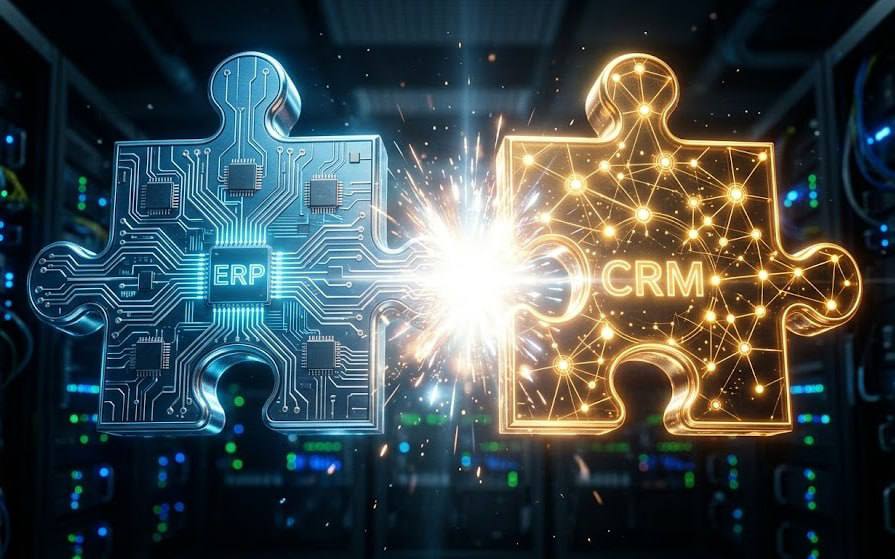
Connecting these two systems is not optional once a business reaches meaningful scale. The good news is that the process follows a fairly predictable path if you approach it methodically rather than rushing the implementation, a strategy we always prioritize at ZeroOne.
- Map your data flow first. Identify exactly which information needs to move between systems, such as customer records, order status, and invoice data, before touching any integration tool.
- Choose an integration method. Some platforms offer native connectors between popular ERP and CRM tools. Others require middleware or a custom API integration built specifically for your tech stack.
- Establish a single source of truth. Decide which system owns each type of data. Customer contact details usually live in the CRM, while financial records stay authoritative in the ERP.
- Test with a small data set. Run the integration with a limited number of records before pushing your entire database through it, so errors surface early rather than after a full migration.
- Train both teams together. Sales and operations staff need to understand how data now flows between systems, especially when a change in one platform automatically updates the other.
Companies that skip straight to a full integration without this groundwork usually end up with duplicate records, mismatched customer data, and a support headache that takes months to untangle. A phased approach costs more time upfront but saves significantly more later.
Final Thoughts
The ERP vs CRM question rarely has a single right answer, because the right tool depends entirely on where your business currently struggles most. A company drowning in inventory chaos needs an ERP before anything else. A company losing deals because leads fall through the cracks needs a CRM first.
What matters most is recognizing that both systems eventually become necessary as a business scales past its early stage. The goal is not choosing one platform forever. It is sequencing your technology investments to match what your business actually needs right now, then building toward an integrated stack that connects operations and customer relationships seamlessly.

At ZeroOneTech, our team helps businesses implement, customize, and integrate both ERP and CRM platforms so operations and sales finally speak the same language. Whether you need a tailored Zoho deployment, a full Odoo implementation, or a custom integration between existing systems, we build the architecture around how your business actually works.
FAQs
1) Is CRM a part of ERP?
Not typically, though some modern ERP suites include a basic CRM module. Standalone CRM platforms generally offer far deeper sales and marketing functionality than the lightweight CRM features bundled inside a larger ERP system.
2) Can one software replace both ERP and CRM?
Some all-in-one platforms, like Zoho One or certain Odoo configurations (both of which ZeroOneTech customizes regularly), offer both ERP and CRM functionality under one roof. These work well for smaller businesses, but larger or more complex organizations often still benefit from dedicated, specialized tools for each function.
3) Which should I implement first, ERP or CRM?
There is no universal answer to this side of the ERP vs CRM decision. It depends on where the pain is greatest. Product-based and manufacturing companies usually need ERP first to control inventory and finance. Service-based and sales-driven companies often need CRM first to manage leads and customer relationships effectively.
4) Do small businesses need both ERP and CRM?
Not always immediately. Many small businesses start with just a CRM to manage sales, then add ERP functionality as operations grow more complex. The key is recognizing the tipping point before manual processes start causing real financial or customer-facing problems.
5) Are ERP and CRM ever integrated?
Yes, and this is increasingly common as businesses scale. Integration allows sales, finance, and operations teams to work from synchronized data, which eliminates duplicate entry and gives every department an accurate, real-time view of the business.

.png)
.png)

